Best Portable Monitor for Laptop: 3 Picks for Travelers Who Work on the Road
Verdict:The Arzopa A1 ($79.99) is the portable monitor most travelers should start with — 1.6 lbs, USB-C powered, and plug-and-play with any modern laptop. Step up to the ViewSonic VX1655 ($159.99) if you want better build quality and 60W pass-through charging. Remote workers who genuinely need two screens should look at the JSAUX FlipGo Standard.
Working from a single laptop screen gets old fast when you are juggling a spreadsheet, three browser tabs, and a client document at the same time. A portable monitor adds a second screen without adding much weight — done right, it slips into your bag next to the laptop and you stop noticing it is there.
The problem is that most monitors are designed for desks, not airports. They require wall power, a separate AC adapter, or a driver installation that falls apart on a shared conference room machine. The three picks below all avoid those failure modes.
Some links in this article may be affiliate links. We only recommend gear we would actually use on a trip.
The short answer
The Arzopa A1 ($79.99) is the right monitor for most travelers. At 1.6 lbs and powered entirely over USB-C, it connects to any modern laptop with a single cable and extends your desktop in about ten seconds. The price is hard to argue with for what you get.
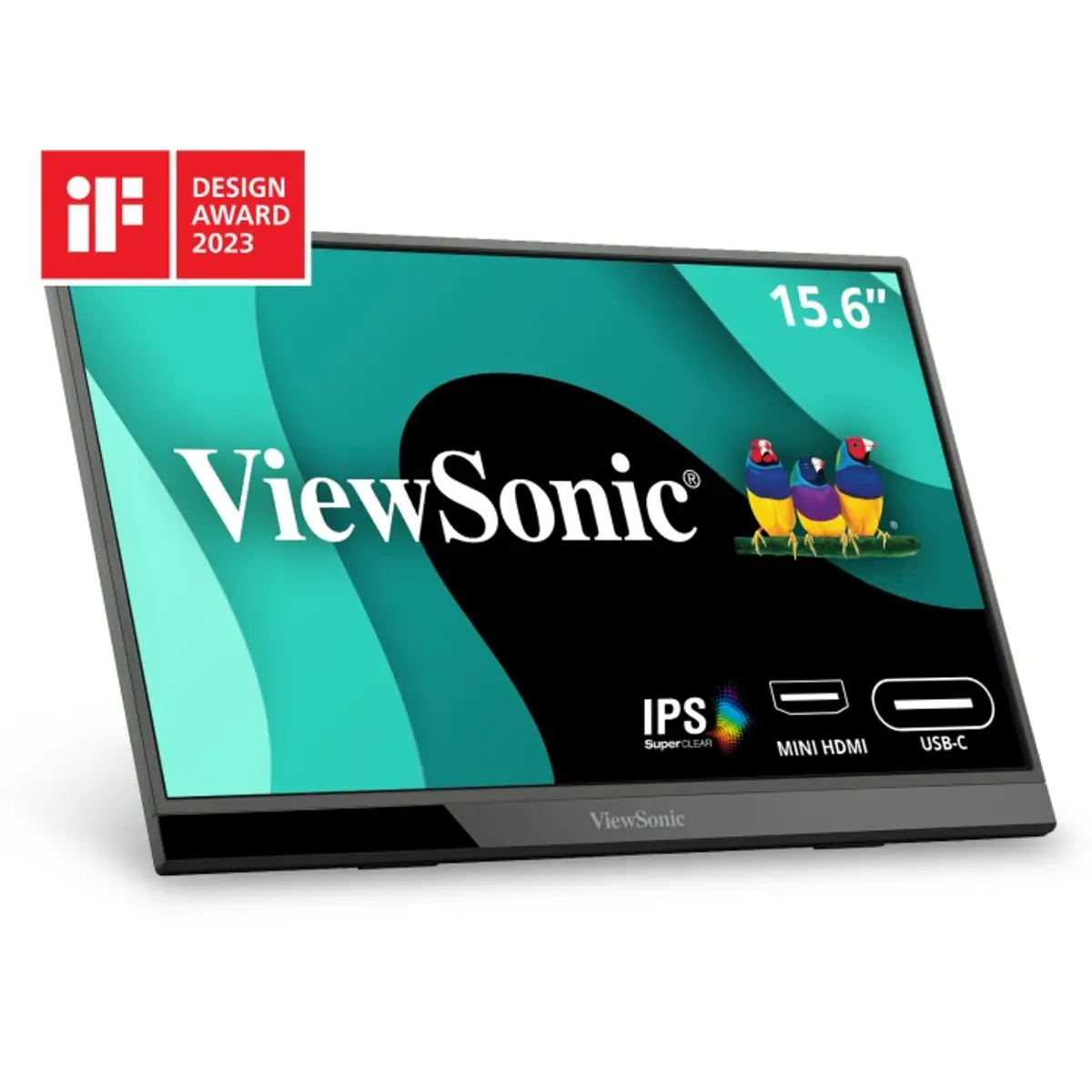
If you want a sturdier build, dual USB-C ports with 60W charging pass-through (so your laptop stays charged through the same cable), and integrated speakers, move to the ViewSonic VX1655 at $159.99. It is the same size and nearly the same weight but feels more finished in daily use.
Remote workers who need two additional screens — not one — should look at the JSAUX FlipGo Standard. It folds two 13.5-inch displays into one unit and connects with a single cable. It is heavier and more expensive, but it is the only option here that turns a laptop into a three-screen setup without a desk.
The three options, compared
Arzopa A1
ViewSonic VX1655
JSAUX FlipGo Standard
Price
$79.99
$159.99
~$399
Screen size
15.6”
15.6”
13.5” × 2
Resolution
1080p
1080p
2256 × 1504 per screen
Weight
1.6 lbs
1.7 lbs
2.34 lbs
Power
USB-C (bus powered)
USB-C (60W pass-through)
USB-C
Speakers
No
Yes (dual 0.8W)
No
Screens
1
1
2 (stacked)
Arzopa A1 — best for most travelers
$79.99 at arzopa.com
The A1 is a 15.6-inch 1080p IPS display that weighs 1.6 lbs and measures 9.3mm thick. Those numbers matter when you are packing for a week and every ounce has a conversation with your back.
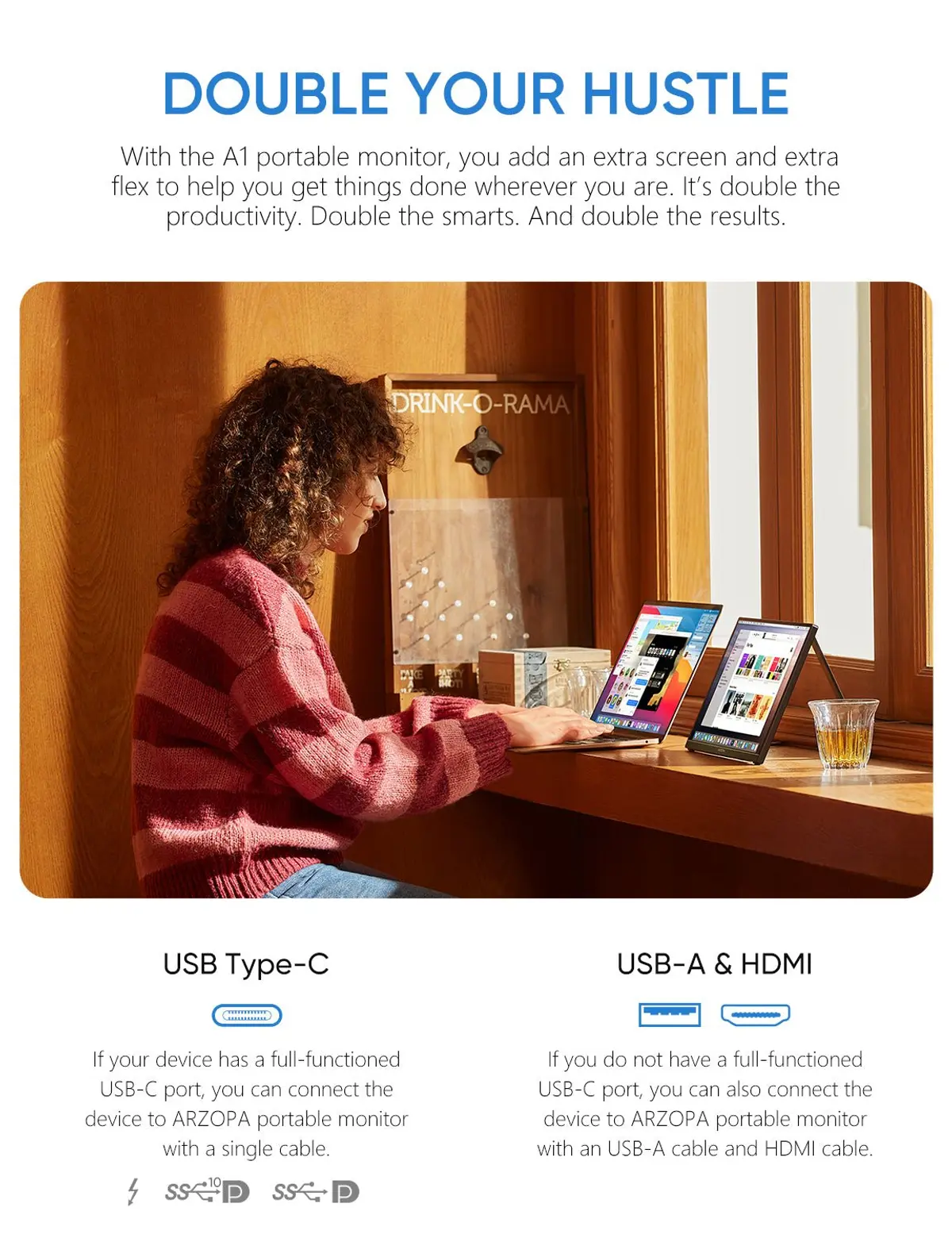
It connects over USB-C and draws power from the same port, so there is no separate power brick and no extra cable to remember. If your laptop’s USB-C port does not supply enough power on its own, the A1 also has a mini HDMI port for display and a second USB-C input for power — useful on older machines.
Color accuracy is listed at 103% sRGB. For spreadsheets, documents, and video calls, that is more than enough. For photo editing work where color precision matters, you would want a higher-spec panel, but most travelers are not doing photo editing in a hotel lobby.
The kickstand is adjustable and holds the panel steady on a flat surface. It will not perform well on your lap or an unstable coffee shop table, but that is true of any portable monitor.
What the A1 does not have: integrated speakers, a carrying case, or a 60W charging pass-through. If those matter for your setup, the ViewSonic VX1655 addresses all three.
The VX1655 adds a few things the Arzopa skips. The dual USB-C ports include 60W pass-through charging, which means you can run the monitor and keep your laptop battery topped off over a single USB-C hub or cable chain. That matters in airports and coffee shops where outlets are scarce.
The build is noticeably more solid. The kickstand design integrates the electronics into the stand rather than the panel edge, which keeps the display itself thin and distributes weight in a way that feels stable. It also includes a tripod mount threaded into the stand — useful if you want to set it at eye height using a travel tripod.
Dual 0.8W speakers are included. They are not impressive speakers, but they handle video calls without routing audio through your laptop’s own output. Weight is 1.7 lbs, essentially identical to the A1.
At $159.99 the VX1655 is twice the price of the A1. The extras are real and useful. If you work from hotels more than twice a month, the 60W charging pass-through alone earns its keep.
Sources for this section (verify, then delete or keep as inline link):
JSAUX FlipGo Standard — best for two-screen remote workers
~$399 at jsaux.com
The FlipGo is a different category of device. It folds two 13.5-inch displays — each running at 2256 × 1504 resolution — into a single unit connected by one cable. Open a laptop, attach the FlipGo, and you have three screens total. That is a meaningfully different working environment from a single portable monitor, and for some remote workers it is the only reason to carry a second display at all.
At 2.34 lbs the FlipGo is heavier than the other two options, and at ~$399 it costs significantly more. The weight is real when you are already carrying a laptop, charger, and the rest of a travel kit. Whether it is worth it depends entirely on whether you need two extra screens or one.
The 3:2 display ratio means each screen holds a tall document or browser window cleanly. The magnetic fold-flat design means it fits in a sleeve alongside most 15-inch laptops. Setup requires a DisplayLink driver installation on first use — one more step, but a one-time step.
For a solo traveler who opens a browser, email, and a document, the A1 is the better fit. For someone who works across four windows simultaneously and has adapted their workflow to a three-screen setup at home, the FlipGo Standard is the only portable option in this range that delivers that.
USB-C bus power. Any monitor that requires a wall adapter adds a brick and a cable to your bag. USB-C bus-powered monitors draw power directly from the host device over the display cable. That is the feature that separates travel monitors from desk monitors.
Weight under 2 lbs. At that threshold the monitor genuinely disappears into a laptop bag. Above it you will notice the added weight on longer travel days and may start leaving it behind.
1080p at 15.6” is enough. For a secondary screen used for documents, email, and reference material, 1080p on a 15.6-inch panel is sharp. A 4K panel in the same form factor draws more power, runs hotter, and costs more. Unless you are doing photo or video editing work, 1080p is the practical choice for travel.
TSA rules. Portable monitors do not require removal from a bag at airport security in the US as of 2026. They are electronics, but they do not have the battery capacity that triggers tablet-style screening. If your monitor has an integrated battery (some models do), check the airline’s policy — large lithium batteries have specific carry-on rules.
Do I need a case? Most portable monitors do not include a dedicated case. A laptop sleeve with a padded divider works. The panel surface scratches easily, so pack it with the display facing the laptop rather than facing bag fabric or other items.
FAQ
Does TSA allow portable monitors in carry-on bags?
Yes. Portable monitors are allowed in carry-on luggage and generally do not need to be removed at security. They do not qualify as lithium battery devices unless they have a built-in battery, which most USB-C bus-powered monitors do not. If your specific model has an integrated battery, check the watt-hour rating against your airline’s policy.
Do portable monitors work with MacBooks?
Yes, most USB-C portable monitors work with MacBooks that have a Thunderbolt or USB-C port. Connect via a USB-C cable — no adapter needed in most cases. MacBooks with M-series chips support multiple external displays, but Apple Silicon M1 and M2 MacBooks limited external display count to one without a DisplayLink adapter; M3 and later removed that restriction. If you are running an M1 or M2 MacBook and want the JSAUX FlipGo’s second display, you will need a DisplayLink adapter.
How do I connect a portable monitor to a laptop without USB-C?
Use the mini HDMI port if your monitor has one (the Arzopa A1 and ViewSonic VX1655 both do), along with a USB-A power cable for the display. USB-A to USB-C power cables for monitors typically draw under 5W, which is within USB-A specs on most laptops. Check the monitor’s power requirements before relying on this combination.
What is the difference between 1080p and 4K on a portable monitor?
At 15.6 inches, 1080p (1920 × 1080) is 141 pixels per inch. Text is legible and images look sharp for everyday work. 4K (3840 × 2160) at the same size is 283 PPI — noticeably crisper, especially for text, but it requires more USB-C power bandwidth, generates more heat, and costs significantly more. For a second screen used primarily for documents and reference material, 1080p is the practical choice.
Final thoughts: match the monitor to the way you actually work
Most remote workers traveling more than a few days a month will get clear value from the Arzopa A1. It is light, it works, and it costs less than a night in most business hotels. If you know you want better build quality and integrated charging, step to the VX1655. If your work genuinely requires three screens and you are already carrying that kit anyway, the JSAUX FlipGo Standard is the only portable option in this range that makes it happen.
eSIM wins for multi-country trips and modern phones. Physical SIM still beats it for long single-country stays and older devices. Here's how to decide.
Verdict: For most travelers on modern phones doing multi-country or short-stay trips, an eSIM from Airalo or Saily is the right call — it activates before you land and costs $4–$20 for regional coverage. Physical SIM still wins if you're staying in one country for weeks, using an older device, or want calls and texts included in your plan.
The Pelican Marine Floating Pouch is the best waterproof phone case for most travelers. Three picks from $10 budget to $20 floating protection.
Verdict: The Pelican Marine Floating Pouch ($20) is the right pick for most travelers — IP68 rated, floats if dropped in water, fits any phone up to 6.7", and includes a detachable lanyard. For budget travelers who just want splash protection, the JOTO Universal Pouch covers the basics at under $13. Snorkelers and underwater photographers need a hard waterproof case, not a pouch.
The Peak Design Travel Tripod packs to the size of a water bottle with a 60-inch max height and 20 lb load capacity. Honest review of aluminum and carbon fiber.
Verdict: The Peak Design Travel Tripod Aluminum ($379.95) is the compact tripod to buy if you want full-size stability in a carry-on-friendly footprint. At 15.4" collapsed and 60" max height, it is the only tripod in its class that genuinely fits in a bag without compromise. The Carbon Fiber version ($599.95) saves 0.63 lbs at a $220 premium — worth it for ultralight backpacking trips, not necessary for most travelers.